How to Change Your Nickname on Discord (PC & Mobile, 2026)
By the DiscordFonts team · · 6 min read
 Discord Name Generator
Quick answer
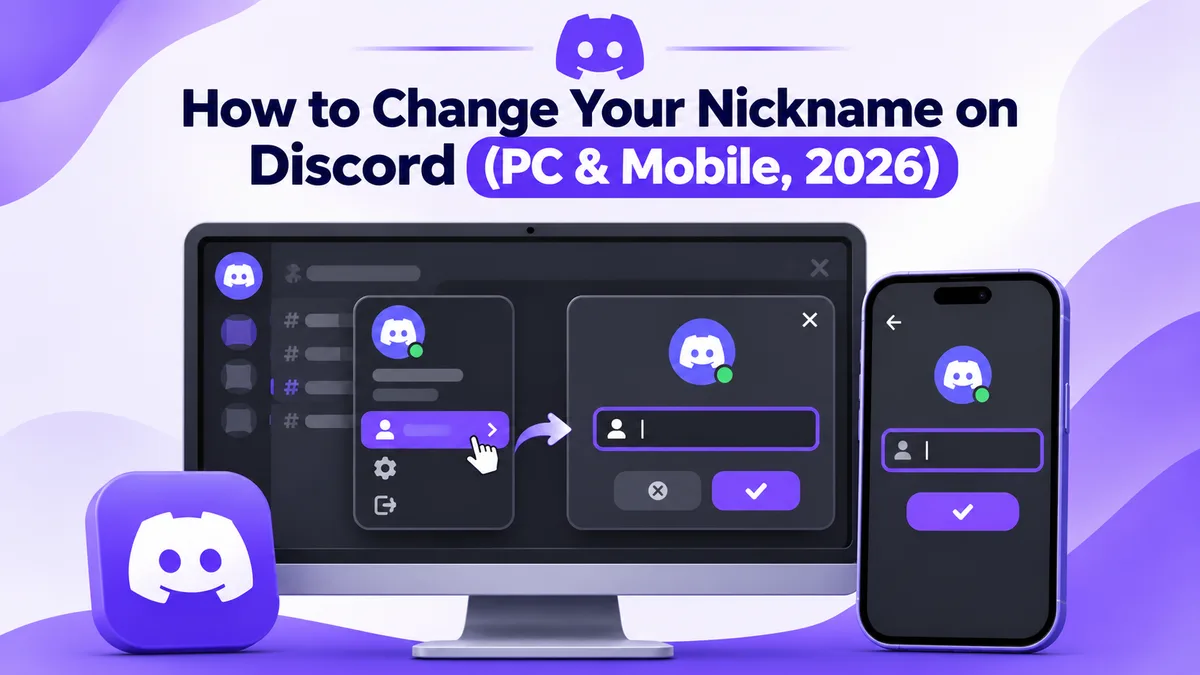
To change your nickname on Discord: click the server name, choose Edit Per-server Profile, type your new name in Nickname, and click Save Changes. Or type /nick followed by your new name in any channel of that server. It's free and only changes your name in that one server.
Nickname vs username vs display name
A Discord nickname is the name you show in one server only. Changing it does not touch your account name or how you appear in other servers.
Discord has three different names, and mixing them up is the most common reason people get stuck:
| Name | Where it shows | Who can change it |
|---|---|---|
| Username | Your unique @handle, used to add friends | Only you, in User Settings > My Account |
| Display name | Your default name in every server and DM | Only you, in User Settings > Profiles |
| Server nickname | One server only, replaces your display name there | You (if allowed) or a moderator |
This guide covers the server nickname. If you want a new @handle instead, try our Discord username generator for ideas.
How to change your nickname on Discord (PC, Mac & browser)
On desktop, you change your nickname from the server menu in under 30 seconds:
- Open Discord and select the server where you want the new nickname.
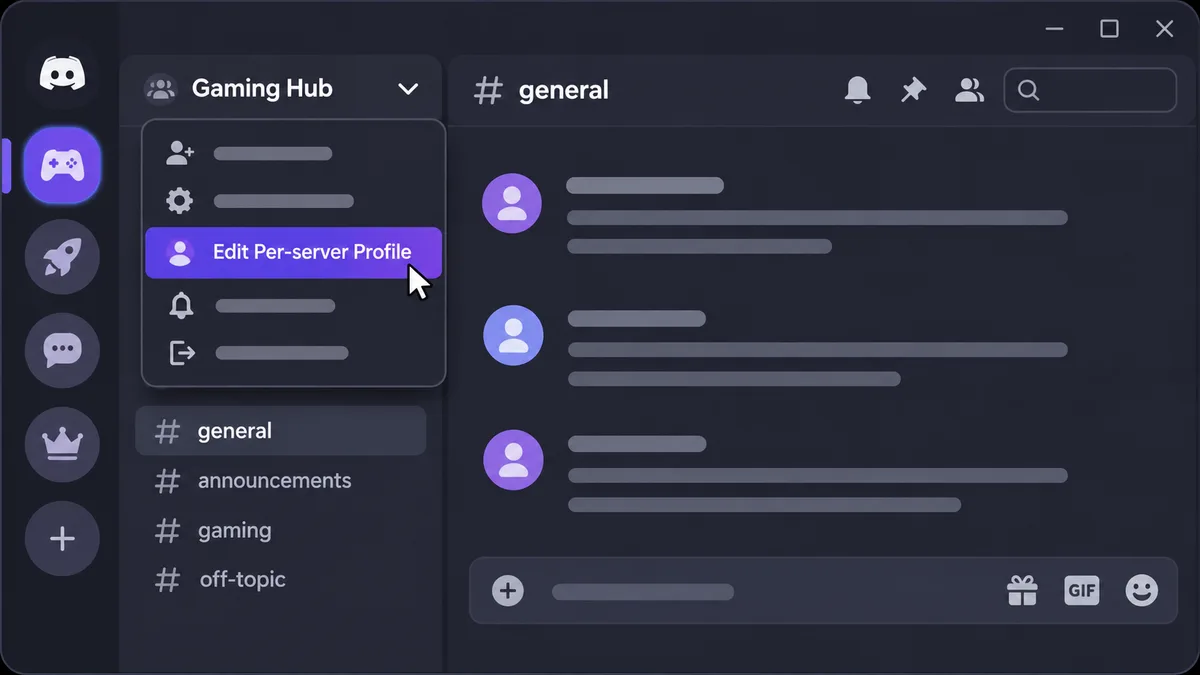
- Click the server name at the top left to open the server menu.
- Click Edit Per-server Profile (called Edit Server Profile in some versions).
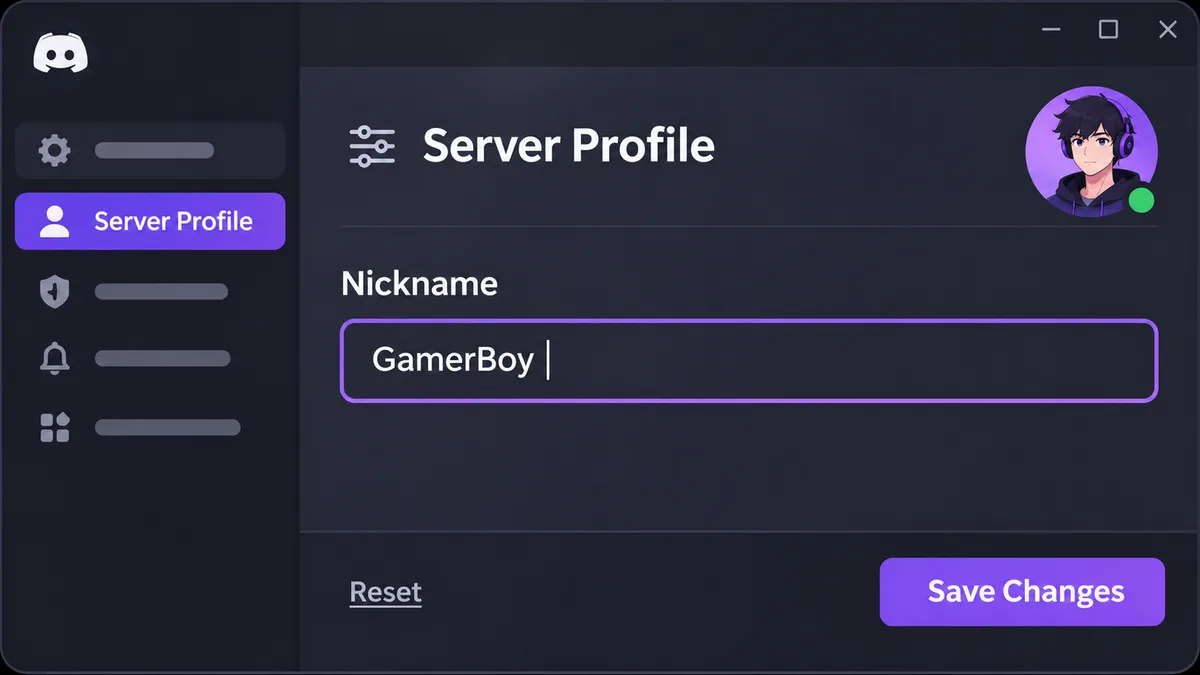
- Type your new name in the Nickname box.
- Click Save Changes.
 Discord Name Generator
 Discord Symbols
Quick shortcut: right-click your own name in the member list and choose Edit Per-server Profile. The steps are the same in the desktop app and in the browser at discord.com.
How to change your nickname on Discord mobile (Android & iPhone)
The Discord app works the same way on Android and iOS:
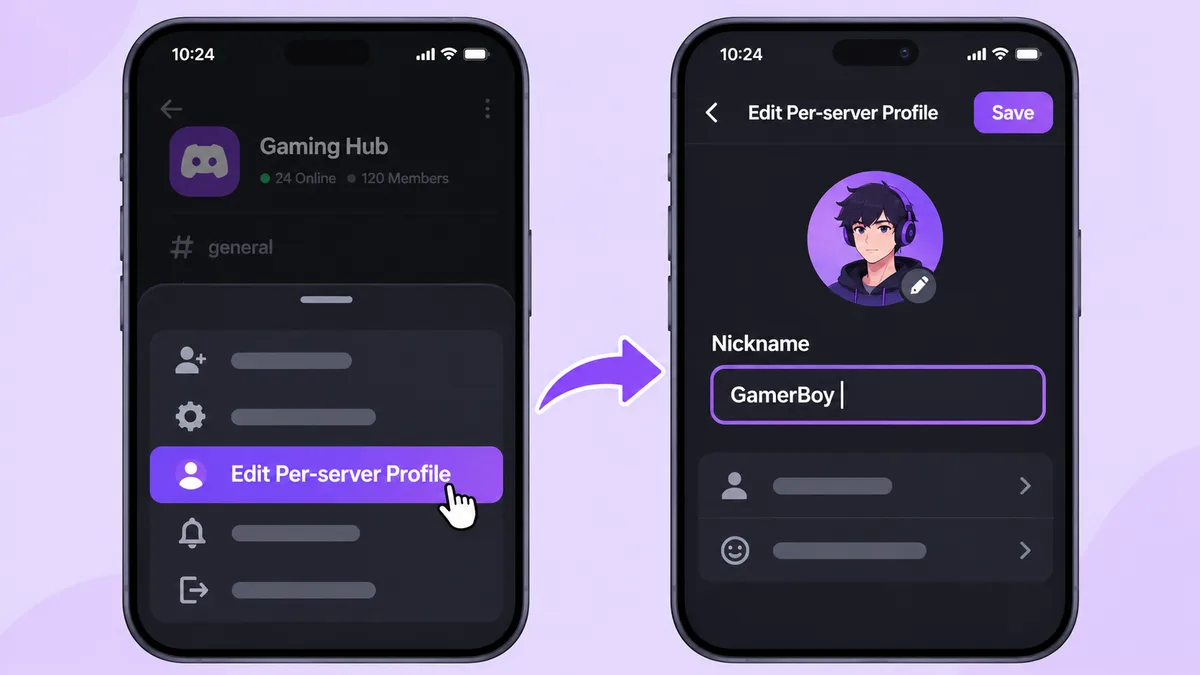
- Open the Discord app and tap the server icon on the left.
- Tap the server name at the top of the channel list.
- Tap Edit Per-server Profile (you may need to scroll down the menu).
- Tap the Nickname field and type your new name.
- Tap Save.
 Discord Username Generator
Your new nickname shows to everyone in that server right away. Other servers keep your normal display name.
Change your nickname with the /nick command
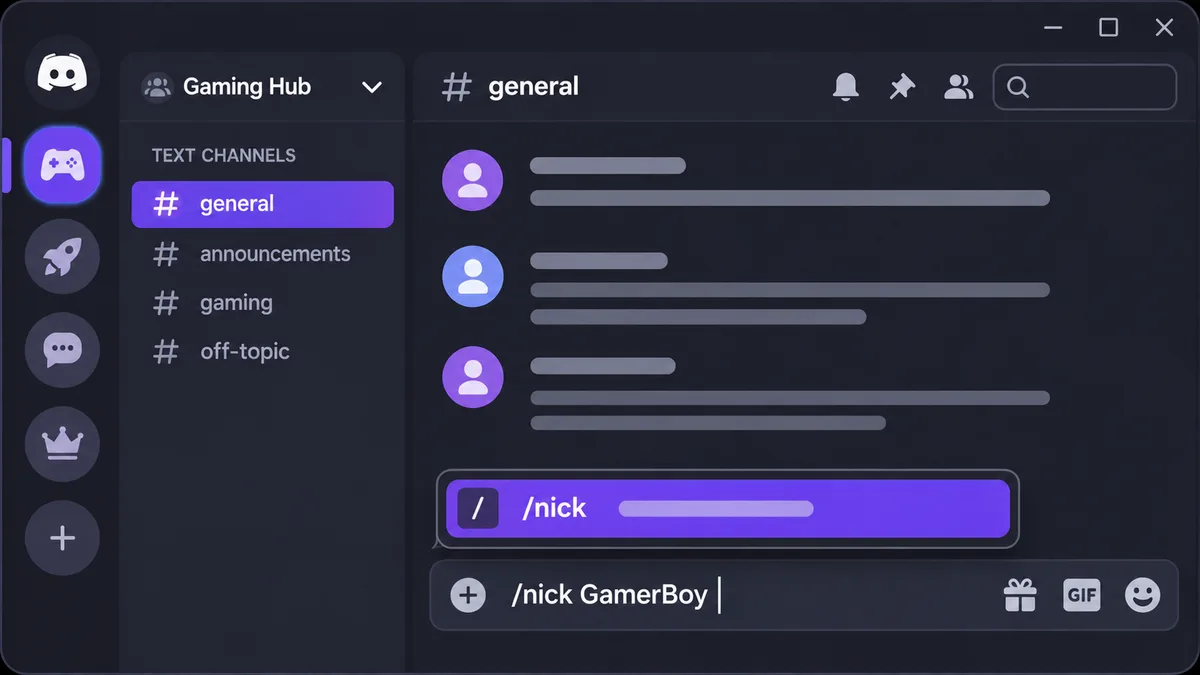
The fastest way is the built-in /nick slash command, which works on PC and mobile:
- Go to any text channel in the server where you can send messages.
- Type
/nickand pick the command from the popup. - Enter your new nickname and press Enter.
 Discord Text Formatting
To remove your nickname and go back to your display name, run /nick and leave the name empty. The command uses the same permission as the menu, so if one fails, the other will too.
How to change someone else's nickname (admins & mods)
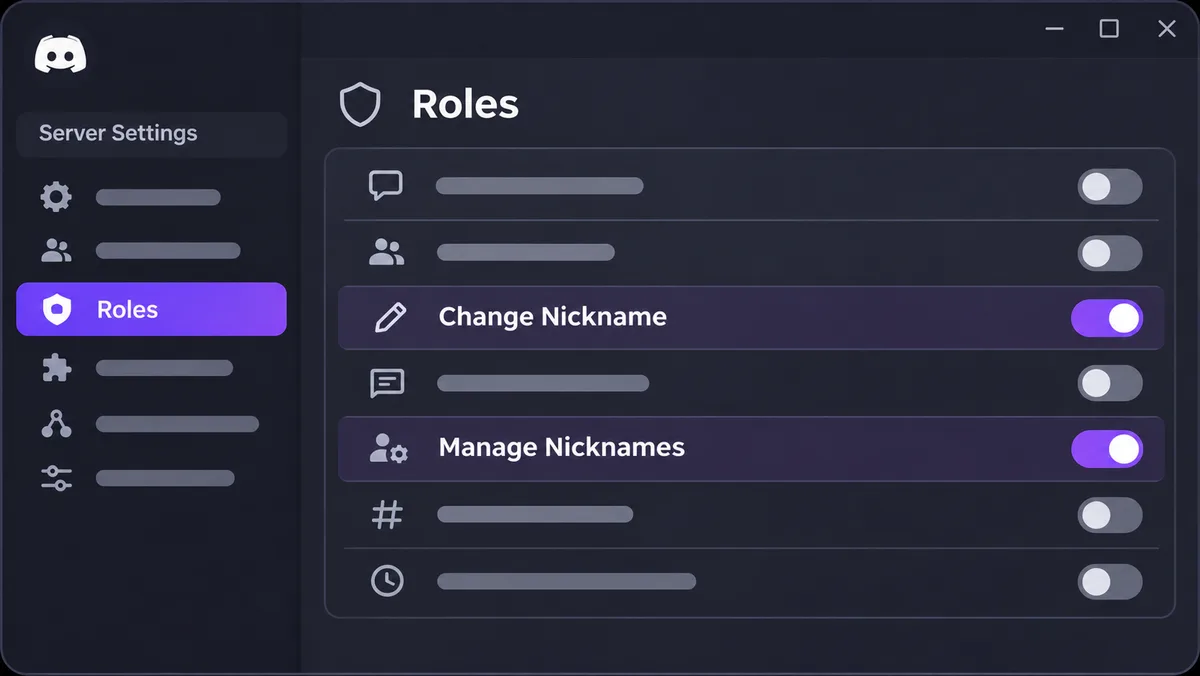
Server owners and anyone with the Manage Nicknames permission can rename other members:
- Right-click the member's name in the member list or chat (on mobile, tap their name, then tap Manage).
- Choose Change Nickname (on mobile, edit the Nickname field).
- Type the new nickname, or clear it to reset, and save.
Role order matters. You can only rename members whose highest role sits below yours, and nobody can change the server owner's nickname except the owner.
To let members rename themselves, go to Server Settings > Roles, pick a role (or @everyone), and turn on Change Nickname.
 Discord Server Names
How to get a fancy font nickname on Discord
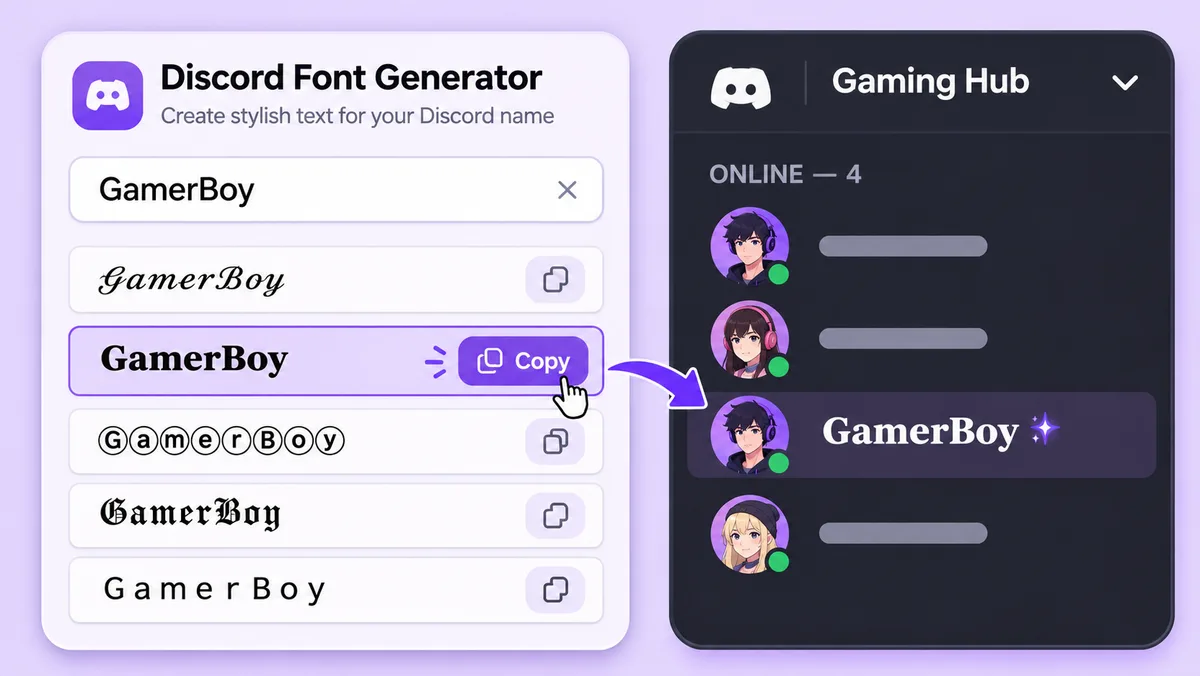
Discord has no font picker for names, but Unicode characters let you paste stylish letters into the nickname box:
- Open the Discord Font Generator and type your nickname.
- Copy a style you like, such as bold, script, small caps or bubble letters.
- Paste it into the Nickname field or after
/nick, then save.
 Discord Font Generator
You can also add Discord symbols like stars or hearts around your name. Keep it readable, because some servers ban names that are hard to mention or search, and a few styles show as boxes on older phones.
Example styles:
- 𝐆𝐚𝐦𝐞𝐫𝐁𝐨𝐲 (bold)
- 𝒢𝒶𝓂𝑒𝓇𝐵𝑜𝓎 (script)
- ɢᴀᴍᴇʀʙᴏʏ (small caps)
- ⒼⓐⓜⓔⓡⒷⓞⓨ (bubble)
Discord nickname rules and limits
| Rule | Detail |
|---|---|
| Length | 1 to 32 characters |
| Cost | Free, no Nitro needed |
| Scope | One server at a time; each server can have a different nickname |
| Fancy fonts and symbols | Allowed (Unicode), unless the server's rules say otherwise |
| Reset | Clear the field or run /nick with no name |
| Content | Must follow Discord's Community Guidelines and the server's own rules |
Nitro adds per-server avatars, banners and bios, but the nickname itself is free for everyone.
Why can't I change my nickname on Discord?
In most cases the server has turned off the Change Nickname permission for your role. Check these fixes in order:
| Problem | Fix |
|---|---|
| No Edit Per-server Profile option or /nick fails | Your role lacks Change Nickname; ask a moderator to enable it or rename you |
| A bot keeps resetting your name | The server uses a moderation or verification bot; follow its naming rules or contact staff |
| Name won't save | Keep it within 32 characters and remove blocked words or characters |
| Fancy letters show as boxes | That device's font doesn't support the characters; pick a simpler style |
| Changed name but it still shows the old one | Restart Discord or refresh the browser tab |
| Changed it in the wrong place | You edited your display name or username; use Edit Per-server Profile instead |
Frequently Asked Questions
Does changing my nickname change it in every server?
No. A nickname applies to one server only. To change your name everywhere, edit your display name in User Settings > Profiles.
Can other people see my old nickname?
There is no public nickname history, but server staff may see changes in the server's Audit Log.
Do I need Nitro to change my nickname?
No. Server nicknames are free. Nitro only adds extras like a per-server avatar and bio.
How long can a Discord nickname be?
Up to 32 characters, including spaces, symbols and fancy-font letters.
How do I remove my nickname?
Open Edit Per-server Profile, clear the Nickname box and save, or run /nick with no name.
Can I use emojis in my nickname?
You can paste standard Unicode emojis and symbols, but custom server emojis do not work in names. For custom emojis in chat, see our guide on how to add emojis to a Discord server.